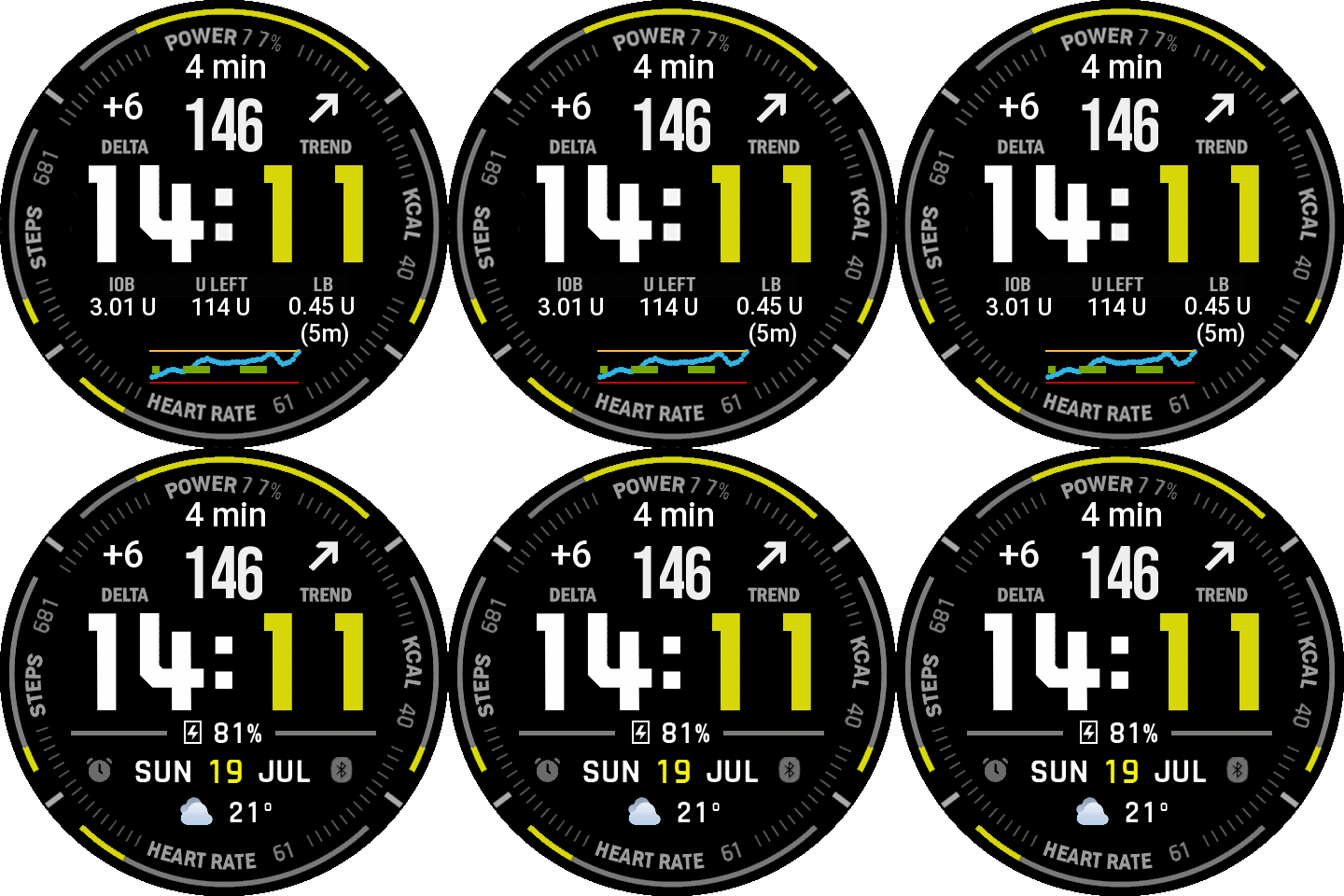

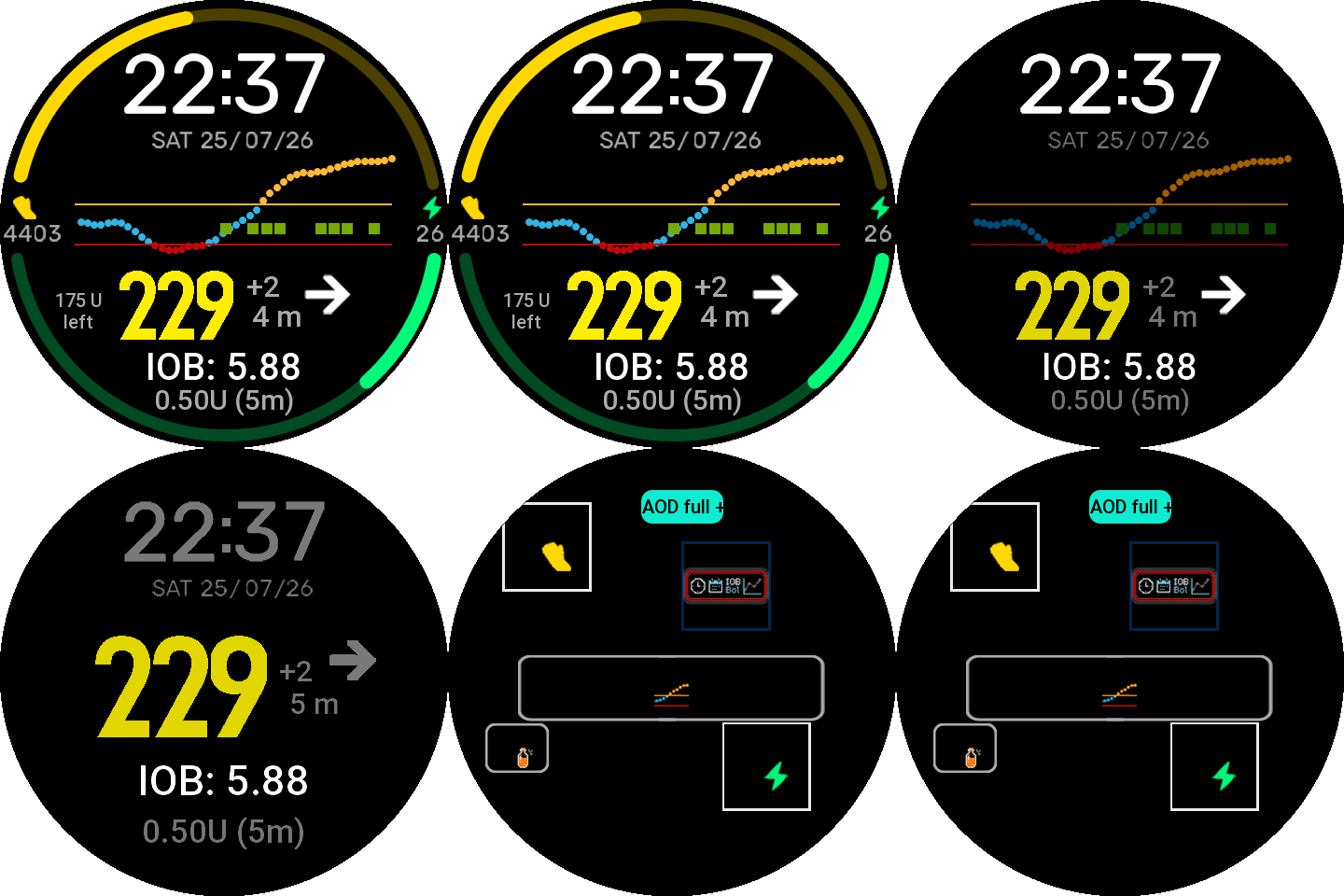
Introducing My First Watchface
I am excited to share my first watchface, which is an adaptation of nimrod100’s WD-Color-V2. A huge thank you to him for the foundational work! I would also like to extend a special thanks to bigdigital for the quick support regarding AAPS integration.
This watchface is specifically designed to integrate and display data from AAPS (WatchDrip+ v0.5 or higher).
Watchdrip tutorial for AAPS use: https://bigdigital.home.blog/2026/07/14/connecting-watchdrip-to-androidaps/
Key Features:
- Data-Centric Design: Heavy focus on glucose and insulin metrics.
- IOB: Insulin on Board tracking.
- Reservoir Level: Easy monitoring of remaining insulin.
- Last Bolus: Quick reference for your most recent dose.
- Big Graph: Enhanced visualization of your glucose trends.
Update V2.0.0 (25.07.2026)
Additional Features:
- Reservoir Edit: You can hide the Reservoir now in watchface settings if not needed.
- AOD with or without graph: Switch between different AOD styles in watchface settings. Special Thanks to nimrod100 for the code!
- Removed watchface actions: pressing on the watchface doesn’t start battery-manager, activities etc.
- Battery optimization: Code tweaks to use as less battery as possible.
Update V2.1.0 (09.08.2026)
- Battery Optimizations: Reduced background polling frequency and file/status checks, extending battery life without changing how the watchface looks or behaves.
- Nimrod100’s Update: Incorporated Nimrod100’s latest improvements to the data-fetching logic for smarter, more efficient updates.
Supported Watches:
- Amazfit Active Max
- Amazfit Balance
- Amazfit Balance 2
- Amazfit Balance 2 XT
- Amazfit Balance 3
- Amazfit Balance Ultra
- Amazfit Cheetah 2 Ultra
- Amazfit Cheetah Pro
- Amazfit GTR 3 Pro
- Amazfit T-Rex 3
- Amazfit T-Rex 3 Pro (48mm)
- Amazfit T-Rex Ultra 2
For everyone totally new to this here is a tutorial from start to finish:
Installation & Setup Instructions
First, download the latest WatchDrip+ version 0.5.0 onto your phone:
https://www.patreon.com/xdrip_miband/posts/watchdrip-v0-5-163791331
Activate Developer Mode in the Zepp App on Your Phone:
-
Open the Zepp app on your phone
-
Go to Home
-
Tap Profile in the top right corner
-
Scroll down to the bottom and select Settings
-
Tap About
-
Tap the Zepp logo 7 times in rapid succession
Download the Following App to the Watch:
-
Go back to the homepage in the Zepp app
-
Tap Devices in the bottom right corner
-
Scroll down to the bottom and select General
-
Tap Developer Mode
-
Tap the + (plus) icon at the top and scan the QR code on this page: https://watchdrip.org/apps/watchdrip-service/
-
Launch the app on the watch and allow it to run as a background service
Install the Watchface:
-
Tap the + (plus) icon again and scan the following QR code:
Send AAPS Data to the Watch:
https://bigdigital.home.blog/2026/07/14/connecting-watchdrip-to-androidaps/